Point of sale
A counter screen for each store with cash, card and UPI, and closing by shift.
- Store-wise prices
- Shift closing
- Returns at the counter
Retail Stores, stock, store visits
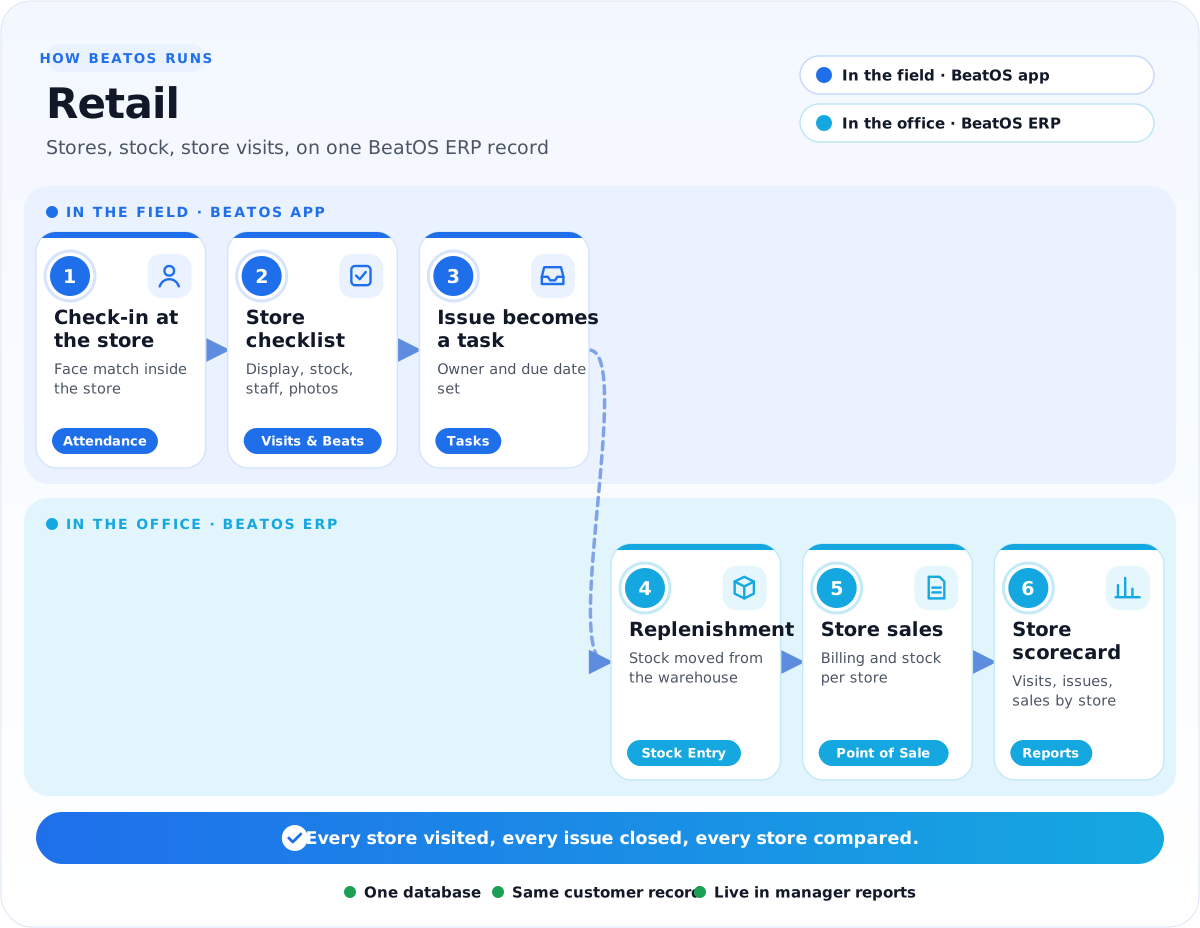
Area managers' checklists turn into tasks that get closed, store by store, with stock and billing kept in BeatOS ERP.
BeatOS ERP for retail chains
Every store bills, receives and counts stock on the same system the head office uses.
A counter screen for each store with cash, card and UPI, and closing by shift.
Stock by store and warehouse, replenishment transfers and stock counts.
Head office buys for all stores with approvals, and receives at the warehouse.
Each store as a cost centre, with GST returns and profit by store.
Challenges and solution
Read it left to right: where retail teams lose time today, what we set up in the office, and what your field team gets.
1The challenge
Where time is lost today
2We set up BeatOS ERP
One record for the whole office
3BeatOS adds in the field
What your team does on the phone
The resultEvery store visited, every issue closed, every store compared.
The apps
Start with the apps that fix your biggest problem, and switch on more later. Click an app to see it in detail.
How we implement
Six steps, run by the BeatOS team with yours. Each step links to the service behind it.
FAQ
Tell us how your team works today, and we will show it running in BeatOS.
Book a demo →Yes. Checklist forms are designed per visit type, with the questions, photos and ratings you need.
An issue found on a visit becomes a task with an owner and a due date, and the area manager sees when it is done.
Store stock and billing run in BeatOS ERP. Tell us how your stores bill today and we will confirm the setup in the demo.
Related industries
Tell us how your retail team works today. We will show you how it would run in BeatOS.